You compare the same birth details on two free Dashamsa tools. One places a planet in Leo; the other gives you a different sign. Before deciding which chart to trust, check how each tool handles the calculation. A D10 result depends on more than a label: the planet's longitude, its position within a 3° segment, the sign's odd-or-even rule, and the astronomical settings all matter.
A dependable D10 chart calculator should make those choices visible. Here, you'll learn the classical Parashari mapping, see how to check a placement by hand, and get a practical list of inputs and settings to inspect. This is reference material, not a horoscope. If you want to understand the math behind a D10 output, start with the calculation, not the interpretation.
Table of Contents
- When Two Dashamsa Outputs Disagree
- What the D10 Chart Is and Why It Exists
- The 3 Degree Segment Rule
- The Odd Sign and Even Sign Starting Rule
- A Worked Example With a Single Planet
- What Most D10 Calculators Quietly Skip
- Birth Time Uncertainty as a Real Calculation Problem
- What a Trustworthy D10 Calculator Should Expose
- Reading the D10 Without Overclaiming
- How to Verify Any D10 Output in Five Checks
- Frequently Asked Questions About D10 Calculators
When Two Dashamsa Outputs Disagree
The first tool shows a planet in one D10 sign. The second shows it in another. You enter the details again, check the spelling of the birthplace, and still get conflicting results. The tempting response is to trust the chart that looks more polished. That doesn't resolve the underlying question: did either calculator apply the same inputs and the same rules?
A difference can begin before the divisional chart is constructed. The calculators may use different ayanāṃśas, ephemeris settings, or birth-time conversions. Even when their astronomical inputs match, rounding a longitude near a segment boundary can change the D10 placement.
The useful question isn't which chart looks authoritative. It's whether you can reproduce how it was calculated.
A sound comparison starts with three checks: the 3° intervals, the odd-or-even sign starting rule, and the astronomical settings behind the source longitude. Once those are visible, you can test the result rather than taking either website on faith. The same standard applies whether you're a practitioner checking a chart or a reader trying to understand a career-focused divisional placement.
What the D10 Chart Is and Why It Exists
The Dashamsa, also called the D10, is a divisional chart used in Parashari jyotiṣa. It's one of the sixteen classical divisional charts known as Shodashvarga. Traditional descriptions associate it with profession, authority, action, achievement, and public standing. A description of the Dashamsa's traditional scope also notes that its calculation depends on the planet's exact birth-chart position within its natal sign.
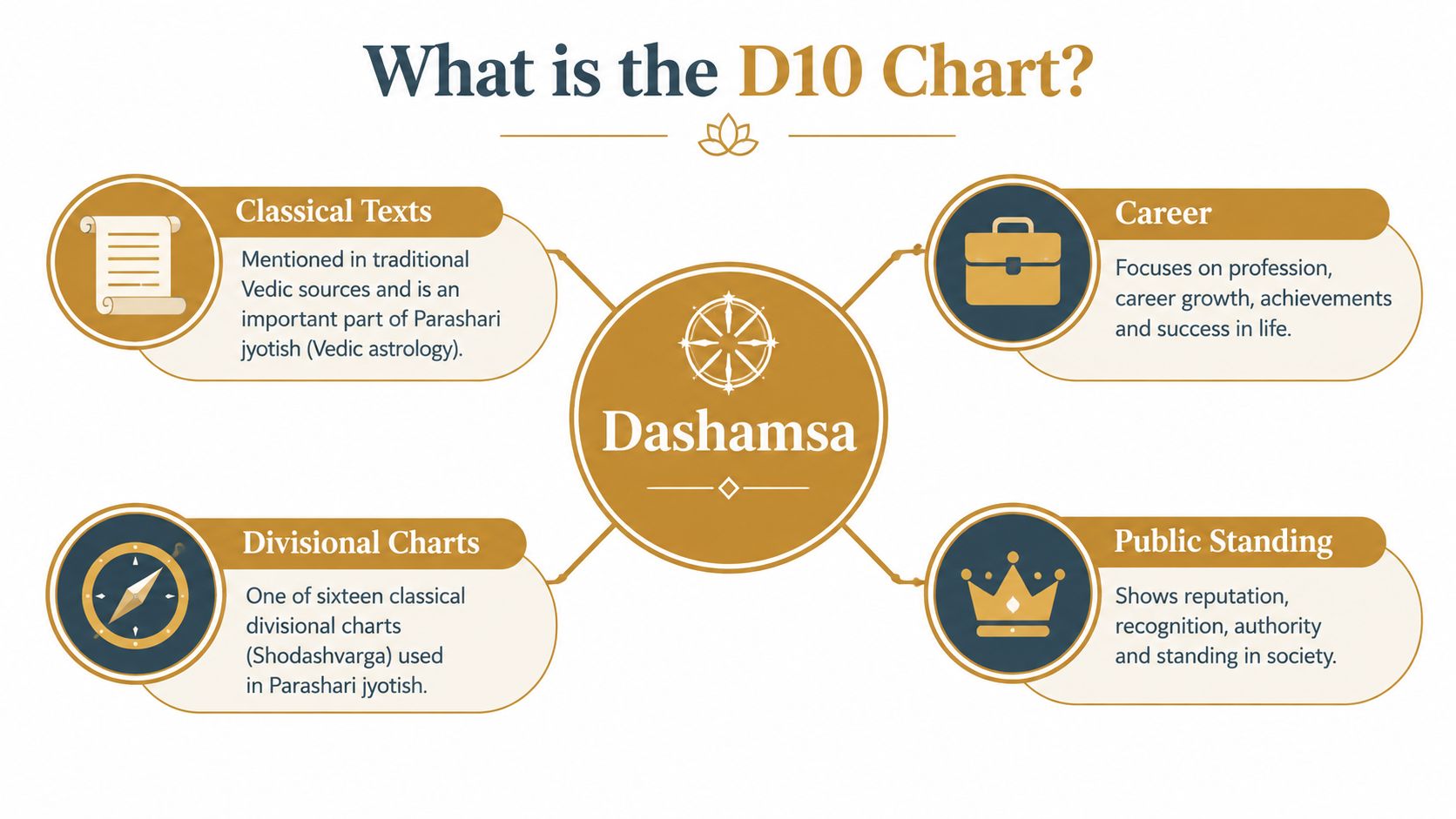
A useful way to understand its role is to compare it with the main birth chart, or D1. The D1 provides the broader birth-chart context; the D10 offers a more specific view of work and public life. It doesn't replace the D1, and a D10 placement alone doesn't settle what a career reading means. Interpretations also depend on the wider chart and on dasha timing, the planetary periods used in Vedic astrology.
For a calculator to earn trust, it must show the odd/even sign rule, the 3° segment boundaries, and the astronomical inputs used to derive the longitude. If those details are hidden, you can see the output but can't properly audit it.
The 3 Degree Segment Rule
The first calculation is the segment. Each zodiac sign spans 30°, and the D10 divides that span into ten equal parts of 3° each. For each planet, find its degree within its natal sign, then identify the interval containing that degree.
The intervals are half-open: the lower boundary is included and the upper boundary is not. That means 0°00′ ≤ longitude < 3°00′ is the first segment, while 3°00′ ≤ longitude < 6°00′ is the second. The pattern continues through 27°00′ ≤ longitude < 30°00′, the tenth segment. The boundary convention matters: a planet exactly at 3°00′ belongs to the second segment, not the first.
Consider a planet at 5° of its natal sign. Its longitude falls between 3°00′ and 6°00′, so it's in the second segment. The segment number then determines which sign in the D10 sequence applies, using the starting rule described in the next section.
Don't round first and assign later. A few arc-seconds near a 3° boundary can move a planet into a different segment, so the calculator should apply explicit intervals rather than round a displayed degree.
The Odd Sign and Even Sign Starting Rule
Finding the segment is only half the calculation. You also need the correct starting sign for the sequence. For an odd natal sign, the first segment maps to the natal sign itself, and each subsequent segment proceeds forward through the zodiac. For an even natal sign, counting begins from the ninth sign counted inclusively from the natal sign, then continues forward.
This is the core mapping rule described in technical material on Parashari divisional charts. Treating every sign as if it starts from itself changes the result for planets in even signs.
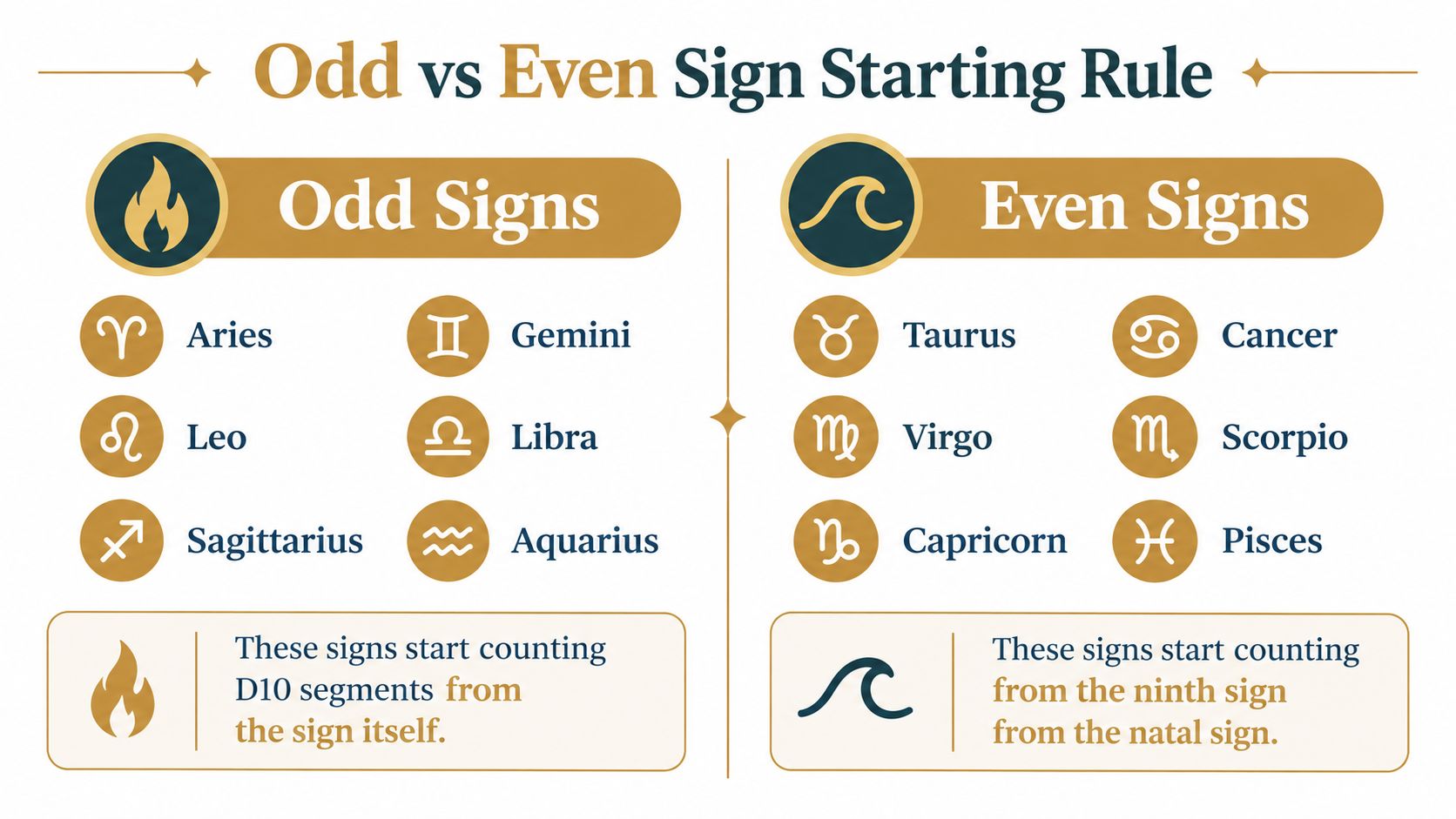
Here's the first-segment mapping at a glance:
| Natal sign | Parity | First D10 segment |
|---|---|---|
| Aries | Odd | Aries |
| Taurus | Even | Capricorn |
| Gemini | Odd | Gemini |
| Cancer | Even | Pisces |
| Leo | Odd | Leo |
| Virgo | Even | Taurus |
| Libra | Odd | Libra |
| Scorpio | Even | Cancer |
| Sagittarius | Odd | Sagittarius |
| Capricorn | Even | Virgo |
| Aquarius | Odd | Aquarius |
| Pisces | Even | Scorpio |
Odd signs are Aries, Gemini, Leo, Libra, Sagittarius, and Aquarius. Even signs are Taurus, Cancer, Virgo, Scorpio, Capricorn, and Pisces. A calculator that applies the odd-sign sequence to every natal sign may look consistent while producing wrong D10 placements for even-sign planets.
A Worked Example With a Single Planet
Take a planet at 22°15′ Taurus. This example makes the two parts of the method easy to check: the segment interval and the starting sign. The longitude falls between 21°00′ and 24°00′, so the planet occupies the eighth 3° segment.
Taurus is an even sign. Its D10 sequence therefore starts from Capricorn, the ninth sign counted inclusively from Taurus. Count forward through the signs until you reach the eighth position:
- Capricorn
- Aquarius
- Pisces
- Aries
- Taurus
- Gemini
- Cancer
- Leo
The planet's Dashamsa sign is Leo. The interval establishes the segment index; the parity rule establishes the starting sign; counting through the sequence gives the mapped D10 sign.
This is a practical check you can repeat with any calculator that displays the natal longitude. If a tool starts every sign from itself, it won't follow the even-sign rule for Taurus and won't reproduce this result. A trustworthy calculator should let you inspect the values that lead to the placement, not just display the final sign.
What Most D10 Calculators Quietly Skip
A correct divisional formula can still produce a questionable chart if the astronomical inputs aren't reproducible. A calculator needs enough information to establish where a planet was in the zodiac: birth date, civil time, time-zone offset, geographic coordinates, daylight-saving status where applicable, ephemeris settings, and ayanāṃśa.
The International Celestial Reference System, or ICRS, is identified by the IAU as the modern celestial reference standard. For sidereal Jyotiṣa output, a calculator must explicitly convert the computed tropical longitude using a named ayanāṃśa. Swiss Ephemeris documentation describes the use of a sidereal calculation setting and notes that different ayanāṃśa definitions can yield different sidereal positions.
Some common shortcuts make a chart difficult to audit:
- Hidden ayanāṃśa: You can't tell which sidereal reference was used.
- Unreported ephemeris: The calculation engine and its version aren't named.
- Rounded source positions: The longitude may be rounded before the D10 interval is assigned.
- Missing calculation record: The timestamp and UTC-normalized birth input aren't preserved.
- Unshown longitude: You're asked to accept a mapped sign without seeing the value it came from.
These aren't merely presentation choices. Without the underlying inputs, it's hard to distinguish a real difference in settings from an error in the divisional calculation.
Birth Time Uncertainty as a Real Calculation Problem
Birth-time uncertainty affects the calculation, not just the interpretation. A recorded time may be approximate. If a planet or the ascendant lies near a 3° D10 boundary, a small change in the birth data can change the segment and therefore the mapped sign. A practical discussion of D10 sensitivity notes that a change in recorded birth time can move a placement across a Dasamsa boundary.
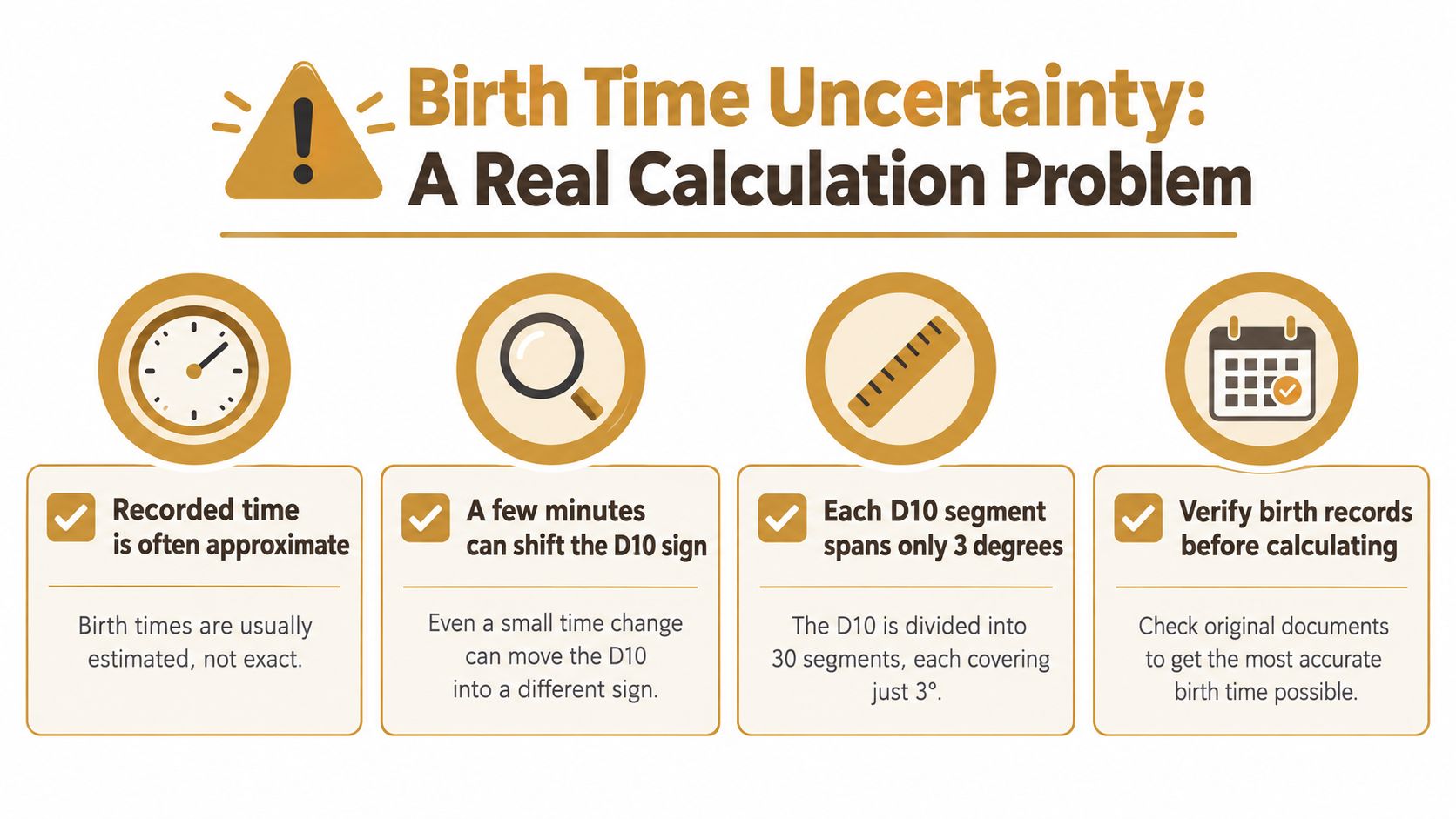
A responsible calculator should make the uncertainty visible. Rather than returning a single categorical result without context, it should recompute the D10 across a plausible time range and show which placements remain unchanged and which switch. Stable placements can be distinguished from borderline ones, while results that depend on the assumed time can be presented as scenarios rather than settled conclusions.
This matters for international records as well. Daylight-saving history, time-zone changes, and family-recalled birth times can all make the input harder to establish. Readers weighing how birth details affect a chart can also consider questions to ask about astrology readings.
Signal strength belongs in the result. If the chart changes across plausible inputs, that's useful information to report, not a defect to hide behind a confident interpretation.
What a Trustworthy D10 Calculator Should Expose
A chart you can audit gives you enough detail to reproduce the mapping. For each planet, look for the source longitude, its 3° interval index, the natal sign's parity, the resulting D10 sign, and the rounding policy at boundaries. A technical description of D10 calculator implementation recommends explicit half-open intervals and preserving those calculation details for auditability.
The overall calculation record should identify the ayanāṃśa, ephemeris version, calculation timestamp, and UTC-normalized birth input. Those details help you compare results and reproduce them later. A guide to choosing a birth chart calculator is useful if you're comparing tools, but inspect the calculation details rather than relying on appearance alone.
For production software, regression tests should check planets just below and above 3° multiples, sign-boundary longitudes, leap dates, historical time-zone changes, and identical inputs processed on different platforms. Those tests help catch errors that a polished chart image can't reveal. The useful standard is simple: the calculator should give you a result and the trail behind it.
Reading the D10 Without Overclaiming
The D10 is used to examine profession, authority, action, and public standing. A placement may be discussed in relation to responsibility or visibility, but no single D10 sign settles what a person should do for work. The chart needs to be read alongside the D1 and considered in the context of active dasha and antardasha periods.
The same placement may be expressed differently across planetary periods. Any forward-looking statement should stay conditional: it may describe a possibility if the broader chart supports it, not a guaranteed outcome. For a wider example of how divisional charts are used in Vedic interpretation, see this discussion of reading the Navamsa chart in marriage contexts.
Treat career readings as reflection and self-understanding, not as professional advice about employment or finances. When the calculation is uncertain, the interpretation should show that uncertainty rather than speak past it. Before relying on a D10 result, check the inputs, intervals, mapping rule, and stability of the placements.
How to Verify Any D10 Output in Five Checks
You can run these checks against a D10 chart without taking its interpretation on faith:
- Read the natal position: Confirm the source sign and degree shown for each planet.
- Find the interval: Determine which 3° segment contains that degree. Check the boundary convention rather than rounding the displayed value.
- Apply the parity rule: Identify whether the natal sign is odd or even, then count from the correct starting sign.
- Inspect the settings: Confirm that the calculator names its ayanāṃśa and ephemeris.
- Repeat the calculation: Enter the same birth details again and compare the output. Then make a small time adjustment to see which placements change.
These checks tell you whether the displayed D10 follows a reproducible method and whether its placements depend on a narrow assumption about the birth time. They're also useful when comparing tools: match the astronomical settings before deciding that the divisional rule itself differs.
If you want a persistent reading rather than a chart label, look for a method that declares its computation, checks it against lived events, and preserves the reading for later review. The output should make uncertainty visible and give you something you can revisit.
Frequently Asked Questions About D10 Calculators
Is the D10 a substitute for the natal chart?
No. The D10 is read alongside the D1 birth chart, not as an independent replacement for it. It focuses on professional and public-life themes within the wider chart context.
Can two D10 calculators show different signs for the same planet?
Yes. Different ayanāṃśa or ephemeris settings can change the sidereal source position, and rounding near a 3° boundary can change the assigned segment. Compare the inputs and settings before judging the result.
What if my recorded birth time is approximate?
Some placements may remain stable while others change across a plausible time range. A good calculator should show that difference instead of presenting every placement as equally certain.
Where does the odd/even rule come from?
Independent technical descriptions attribute the odd- and even-sign assignment, and the D10's association with profession and authority, to the Brihat Parashara Hora Shastra. The rule is the mapping method a calculator must apply.
Anvaya builds a structured Samhita from declared Vedic chart computation, then uses Pramāṇa to calibrate the reading against events you've lived before making forward claims. Visit Anvaya to explore a chart reading that keeps its method and uncertainty visible.